I/ found all tokens in wallet
To find all NFTs created with the Foundation contract that are owned by your wallet : you can use the Etherscan API : https://etherscan.io/api
1/ Create a free account to get your YourApiKeyToken
2/ You can now interact with the API
You can create a rest API or whatever or simply get a Json answer with a webbrowser :
https://docs.etherscan.io/resources/wallet-and-portfolio
3/ Test to retrieve all NFTs from your wallet on Foundation Market contract
Foundation contract : 0xcDA72070E455bb31C7690a170224Ce43623d0B6f &from=You Wallet address
https://api.etherscan.io/v2/api
  ?chainid=1
  &module=account
  &action=tokennfttx
  &from=0x79fE36cD7dd81f740b844af2750046BF8fB49481
  &to=0xcDA72070E455bb31C7690a170224Ce43623d0B6f
  &fromto_opr=and
  &apikey=YourApiKeyToken
tokennfttx is for erc-721 token = 1/1
You’ll get a JSON file with all tokennfttx interactions from your wallet on foundation :
    {
      "blockNumber": "14273637",
      "timeStamp": "1645769976",
      "hash": "0xf8af14b850440078e13ec8fc2d035af84ae47fd2118b55df889aac4b0abf7d9c",
      "nonce": "12",
      "blockHash": "0xb480ccb5b7817f6c41a9f12d603c743247a4d36d2ee772b8656f0d19b00552c4",
      "from": "0x79fe36cd7dd81f740b844af2750046bf8fb49481",
      "contractAddress": "0x6479a25ad3bd2fbe6007d4b1249f794192c9b566",
      "to": "0xcda72070e455bb31c7690a170224ce43623d0b6f",
      "tokenID": "2",
      "tokenName": "Imaginary Landscapes",
      "tokenSymbol": "RODICQ",
      "tokenDecimal": "0",
      "transactionIndex": "15",
      "gas": "266508",
      "gasPrice": "33009934969",
      "gasUsed": "229203",
      "cumulativeGasUsed": "1234073",
      "input": "deprecated",
      "methodId": "0x4ce6931a",
      "functionName": "createReserveAuction(address nftContract, uint256 tokenId, uint256 reservePrice)",
      "confirmations": "11494094"
    }..
You can create a small app to create a script to batch your cancelling operations token by token according to the method Used (bold).
If you have few tokens to unlist you can go to etherscan to proceed manually
II/ Found the transaction on Etherscan
With the hash information you can found specific informations for a transaction :
https://etherscan.io/tx/0xf8af14b850440078e13ec8fc2d035af84ae47fd2118b55df889aac4b0abf7d9c
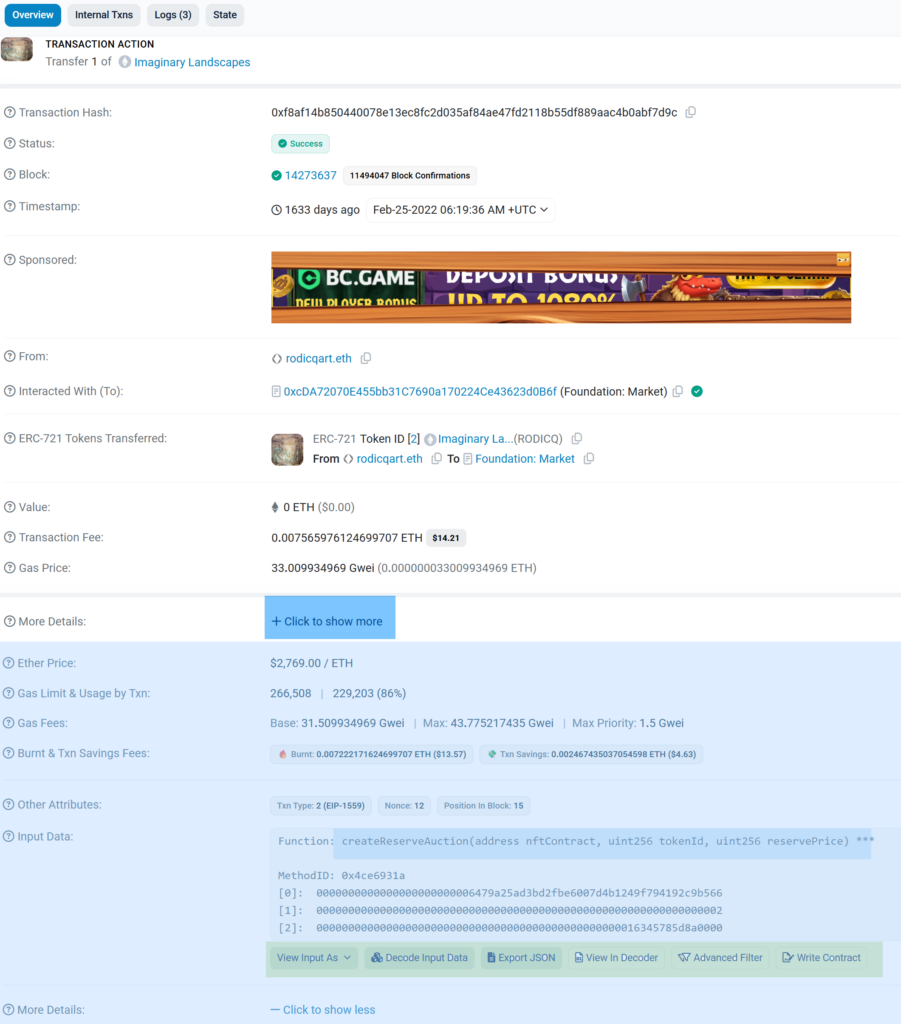
1) find the details of the transaction
Clic on « Mode details » to see more information & the method used to put your NFT on Foundation. It’s important to revert the operation.
Well after several try it seems that it’s better to try both ‘CancelReserveAuction’ or ‘CancelBuyPrice’ whatever the initial method.. Simulate and if you have a success : let’s go!
2) Sign to interact with your contract
If you signed to Etherscan you can directly interact to unlist with ‘Write Contract‘ button & retrieve your NFT back.
To unlist you have just to write the opposite transaction :
Example here we can see ‘createReserveAuction’ so you have to cancelReserveAuction :
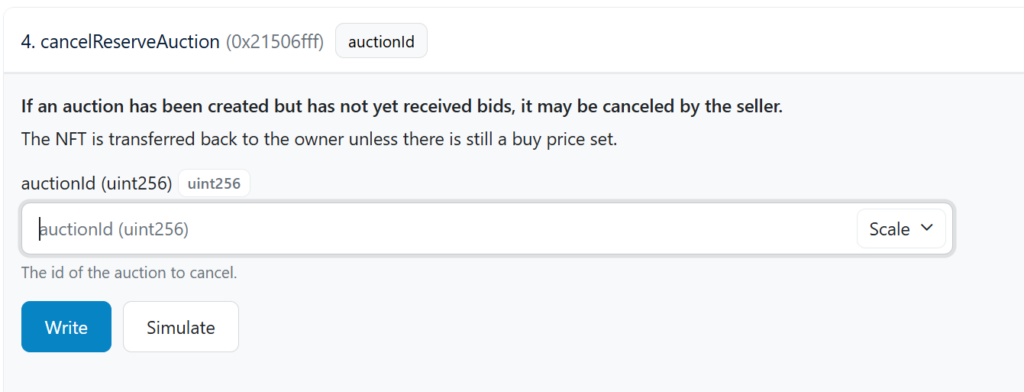
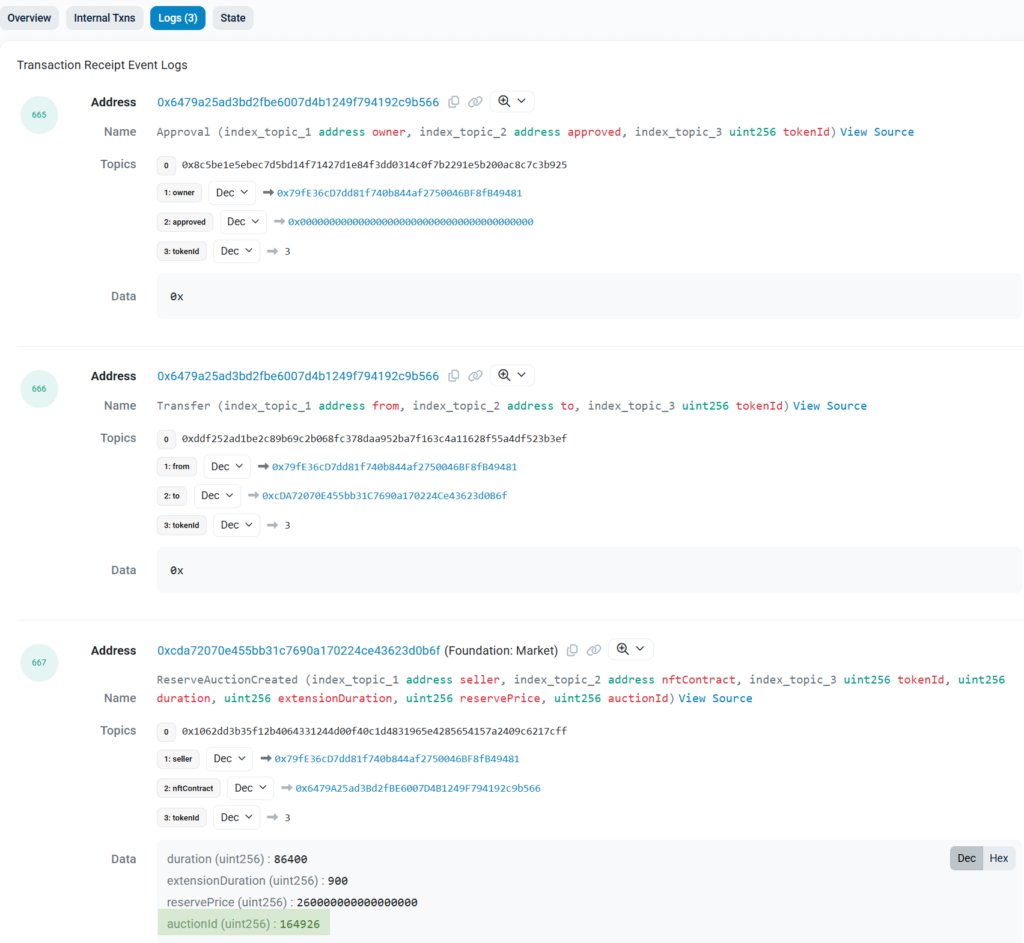
To do that you have to find the auctionId in the InputData, simulate the operation before paying 😉 & write!
3) AuctionId
Need to find where? Still on transaction page, go to the tab Logs, scroll on the bottom of the page (100% chance it was your last transaction…) :
4) See the result
Go to see the operation on the Foundation contract :
https://etherscan.io/address/0xcDA72070E455bb31C7690a170224Ce43623d0B6f
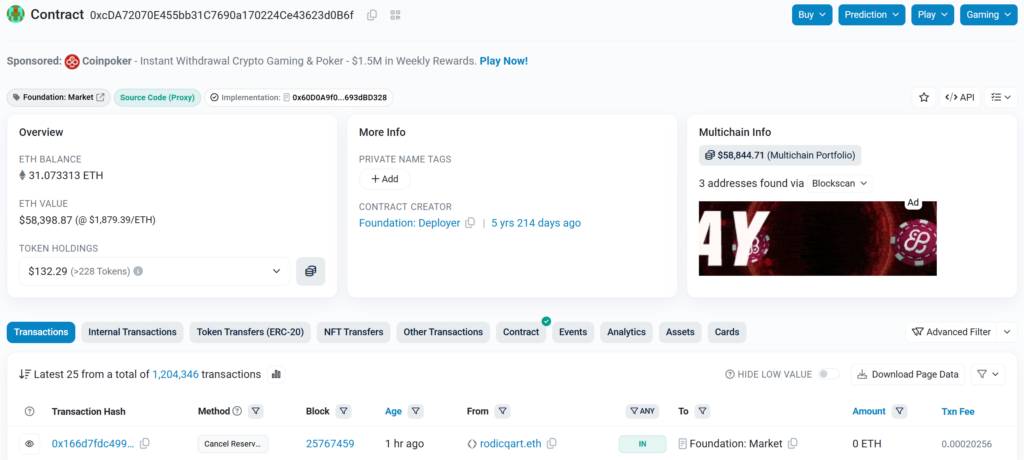
You can see your new transaction on this contract : Cancel Reser… & again with the hash of the transaction you can get the detail of this operation :
https://etherscan.io/tx/0x166d7fdc499353de4890d9e0f84d473cb14a4d728c25d5c0820edb052777dd46
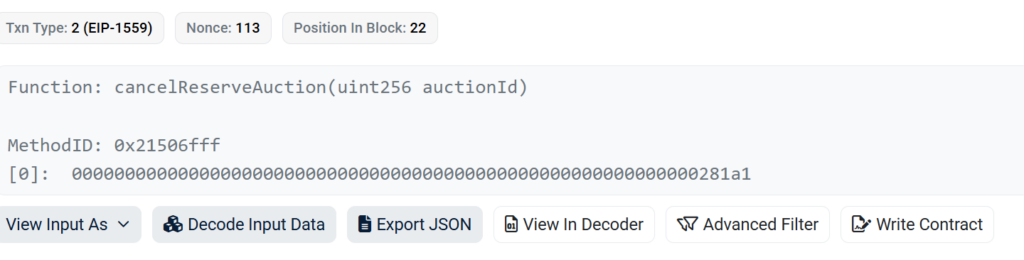
I hope this has been a bit useful!
III/ Collections / Contract
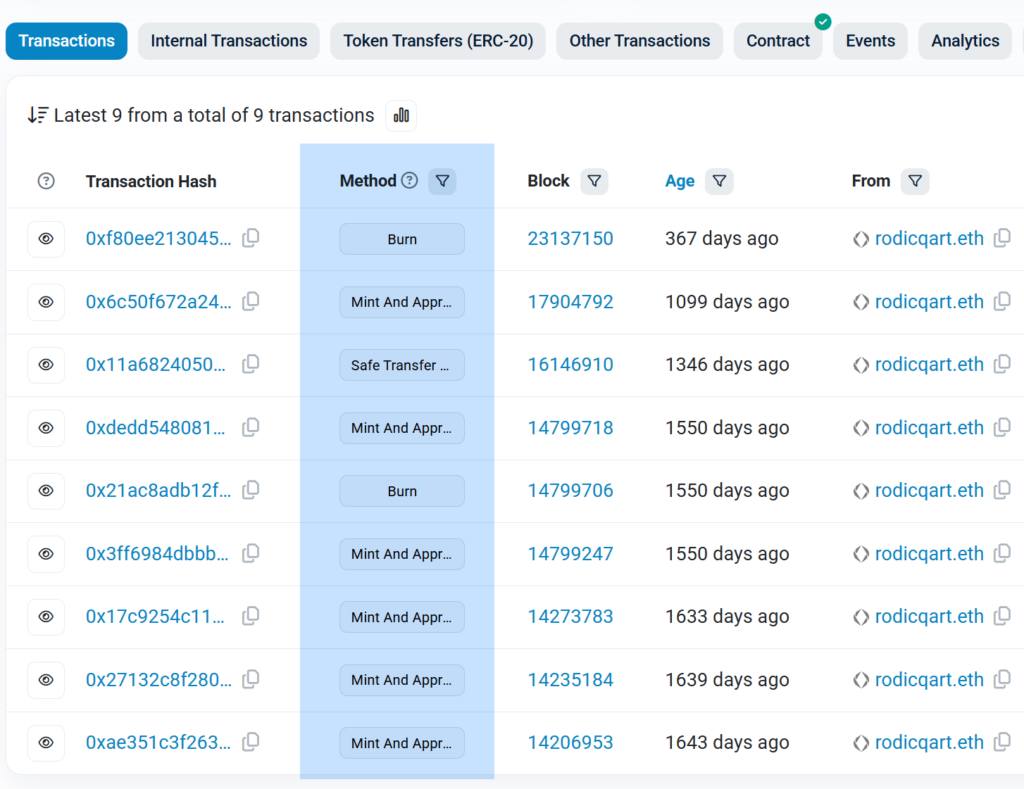
I f you have a create your own contract (collections) on Foundation you can see all the transactions made on this one :
On chapter I you got all contracts addresses of each of your NFTs :
« contractAddress »: « 0x6479a25ad3bd2fbe6007d4b1249f794192c9b566« , you can directly consult all the transactions with Etherscan to see all events : mint/burn/etc
https://etherscan.io/address/0x6479a25ad3bd2fbe6007d4b1249f794192c9b566
IV/ NFT
As you have your contract and the token ID you can consult the information of a specific token to see it coming back to home :
https://etherscan.io/nft/0x6479a25ad3bd2fbe6007d4b1249f794192c9b566/3